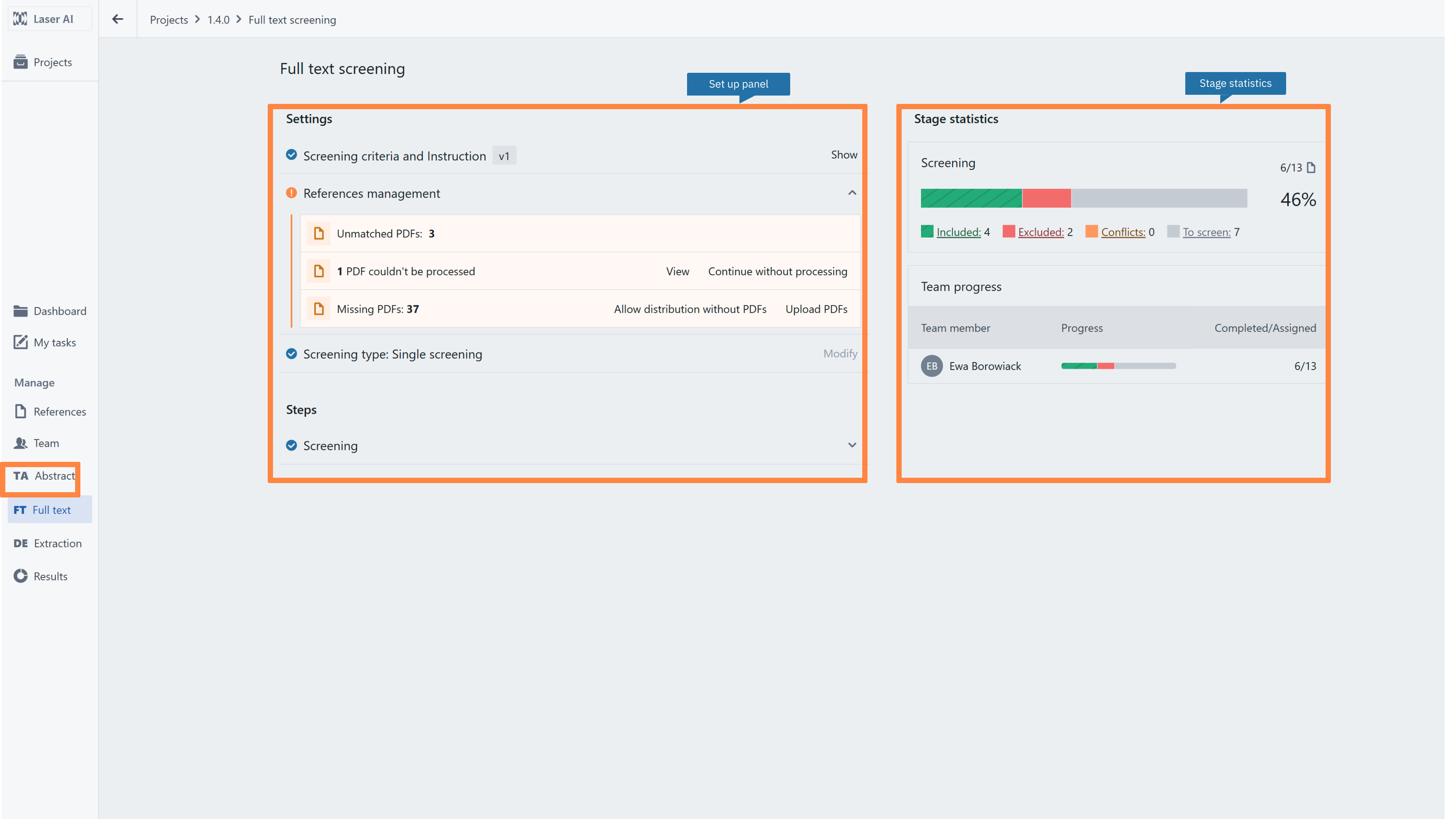
Please note, that the view and options in this section will vary depending on your role within the project and your organisation. If your role is Member/Visitor, you may not have access to this section. The description below shows the full functionality usually associated with the Administrator/Manager role.After selecting Full-text screening in the Project Dashboard, you will be redirected to the Stage Dashboard which provides an overview of the current screening status and enables navigation to key settings.
- Screening criteria and instructions - set up decision flow with inclusion and exclusion criteria, add additional highlights and structured comments.
- References management - panel for managing all files required to conduct Full-text screening
- Screening method - allows you to select a type of screening, i.e. single or double. The decision on the screening method should be made before distributing the screening tasks.
- Screening - a panel to distribute references among researchers according to the previously selected method. The panel also allows you to modify the screening process
- Conflicts - a panel to preview conflicts between researchers. Here you can see all records being conflicted and decisions given by researchers. You can also select the method of conflict resolution, depending on the conflict type.
- Stage statistics - Track overall progress under Screening progress and individual performance under Team progress. Click the arrow next to any decision category - To screen, Conflicts, Included, or Excluded - to jump directly into that batch of records. This section also displays key stage metrics, including average screening time per record and AI predictions on the proportion of relevant references already identified.
RELATED ARTICLES
- My projects list
- Full text screening - introduction
- Full text screening instruction set up
- How to monitor progress in the project and single stage progress
- PDF management in the Project Dashboard
- Roles in a single project
- Performing FT screening
Was this article helpful?
That’s Great!
Thank you for your feedback
Sorry! We couldn't be helpful
Thank you for your feedback
Feedback sent
We appreciate your effort and will try to fix the article