This step allows assigning screening tasks to project team members. Prior to distribution, there will be no records available in the My Task section.
To distribute imported references, select 'Screening Tasks' from the Title and Abstract stage dashboard.
If the button is disabled, check the screening method (single/double) and the number of users. It’s not possible to setup double screening if there’s one user. Also, check if the instruction is set up - you can't do the distribution without instruction uploaded. The first step is to decide whether or not to automate the distribution. The default option is non-automated distribution - this method requires each batch of newly uploaded references to be manually distributed to the Team members. In the case of automated distribution, the distribution method is setup once and then each subsequent batch of references is automatically distributed between team members according to the predefined strategy.
Please note, that it is not recommended to turn the automatic distribution on if TiAb stage is a first stage of the project (there is no Preliminary Screening stage) as it will disrupt the deduplication process.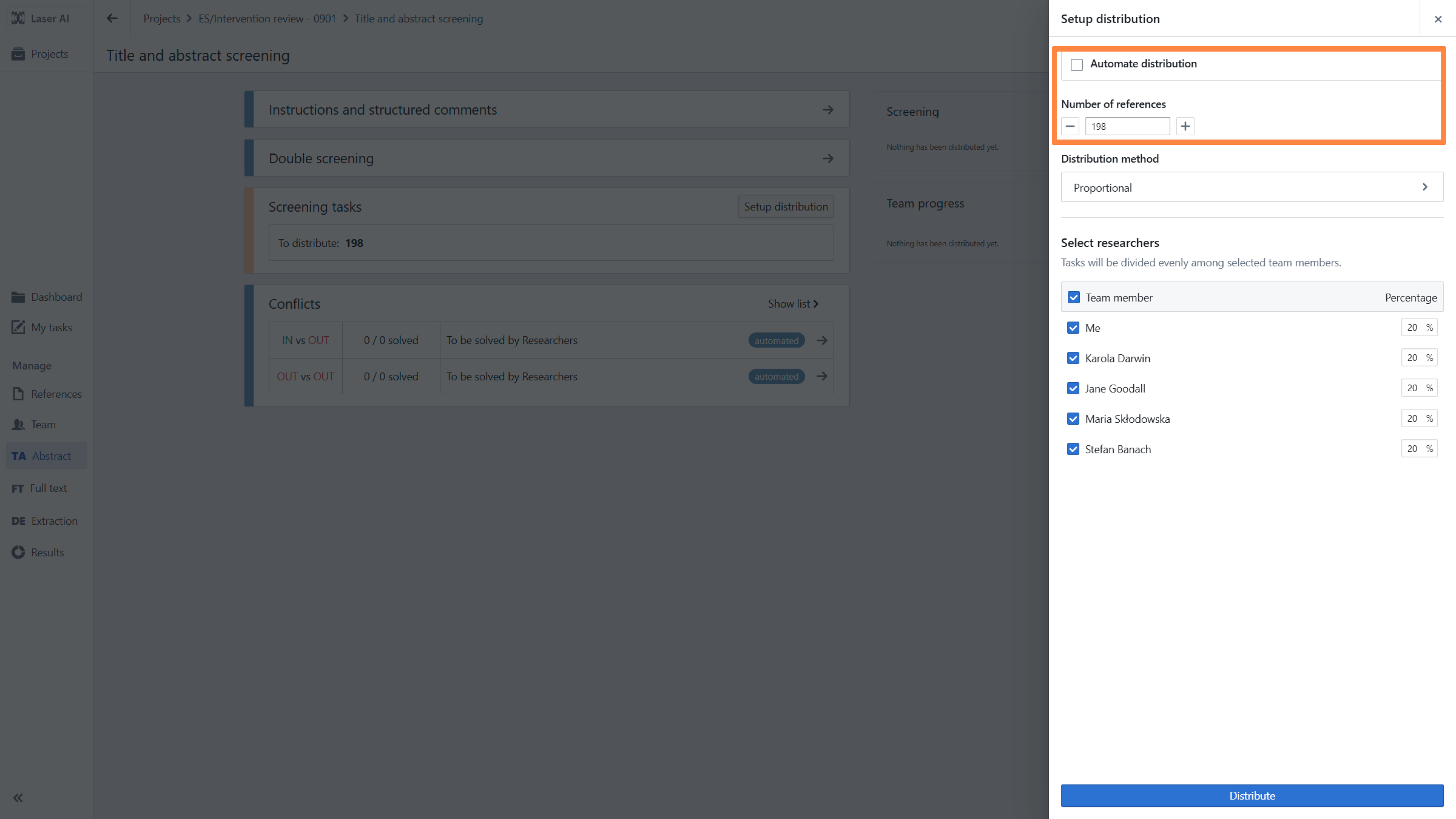
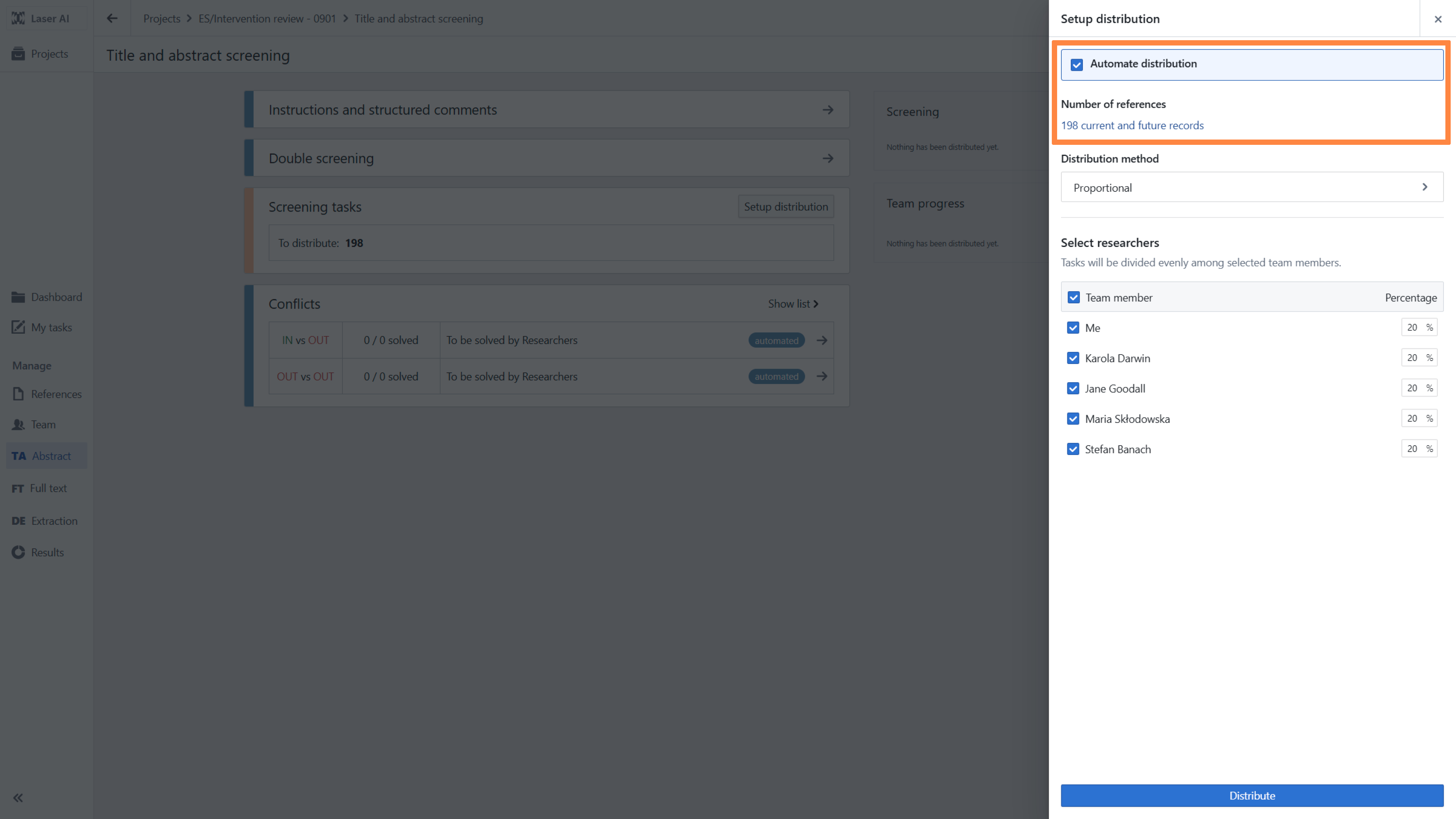
Note: if you choose automated distribution, you won’t be able to change it.
The next step is to select the number of references to distribute and the members of the team who will carry out the screening. You can then assign references in one of three ways - proportional assignment, individual assignment or open pool of tasks.
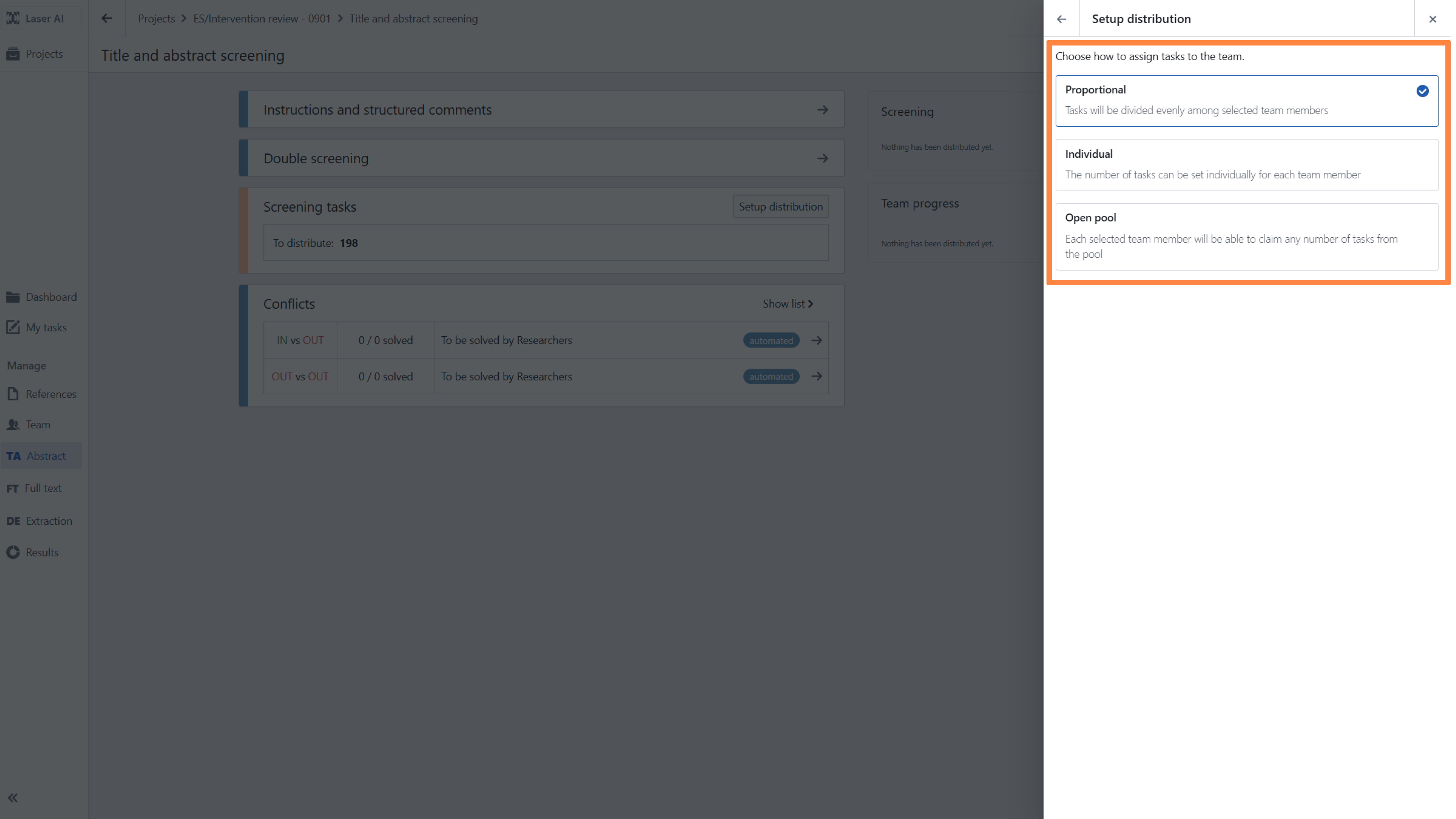
- Proportional assignment - the selected number of references will be distributed proportionally between selected researchers
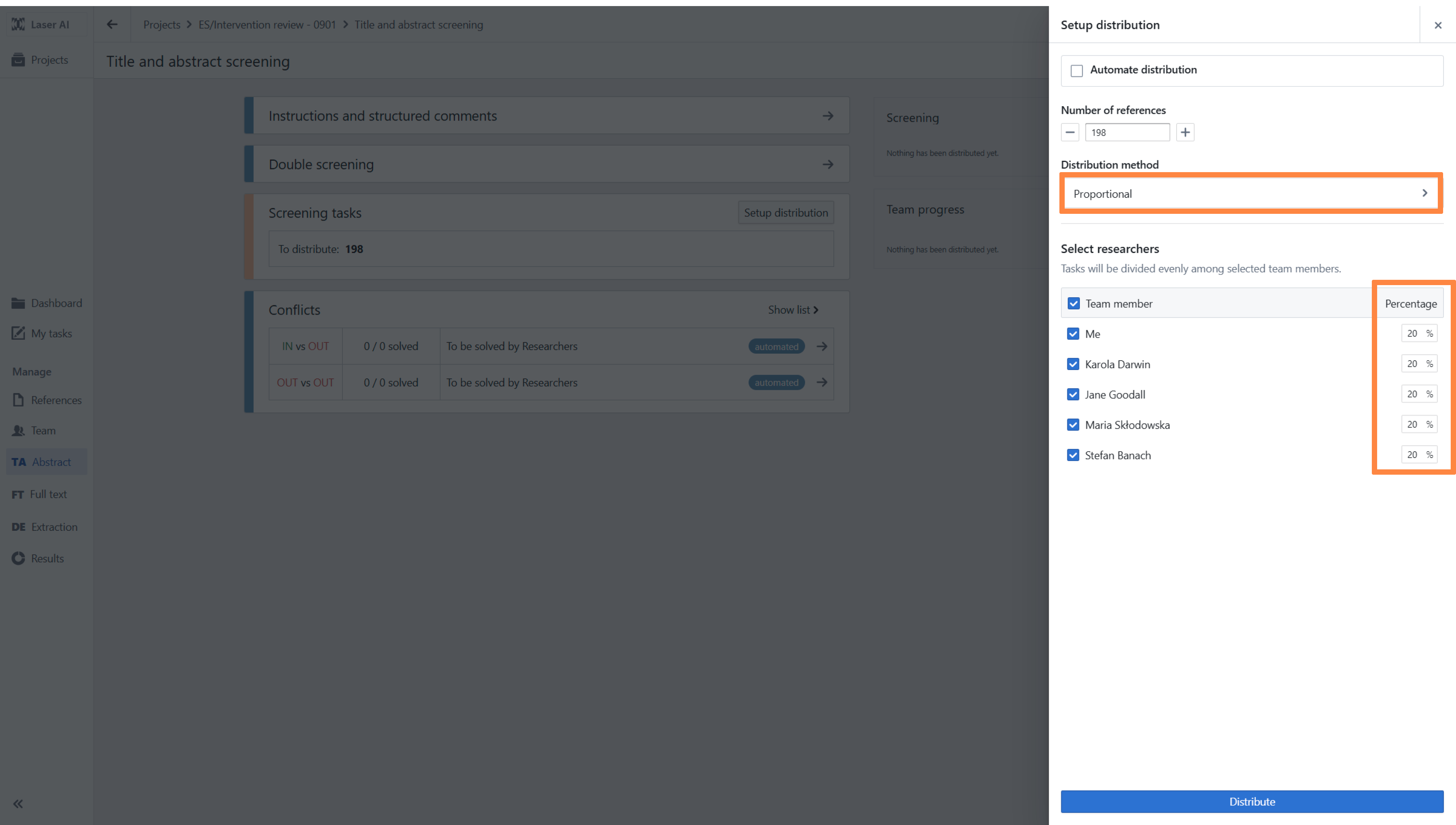
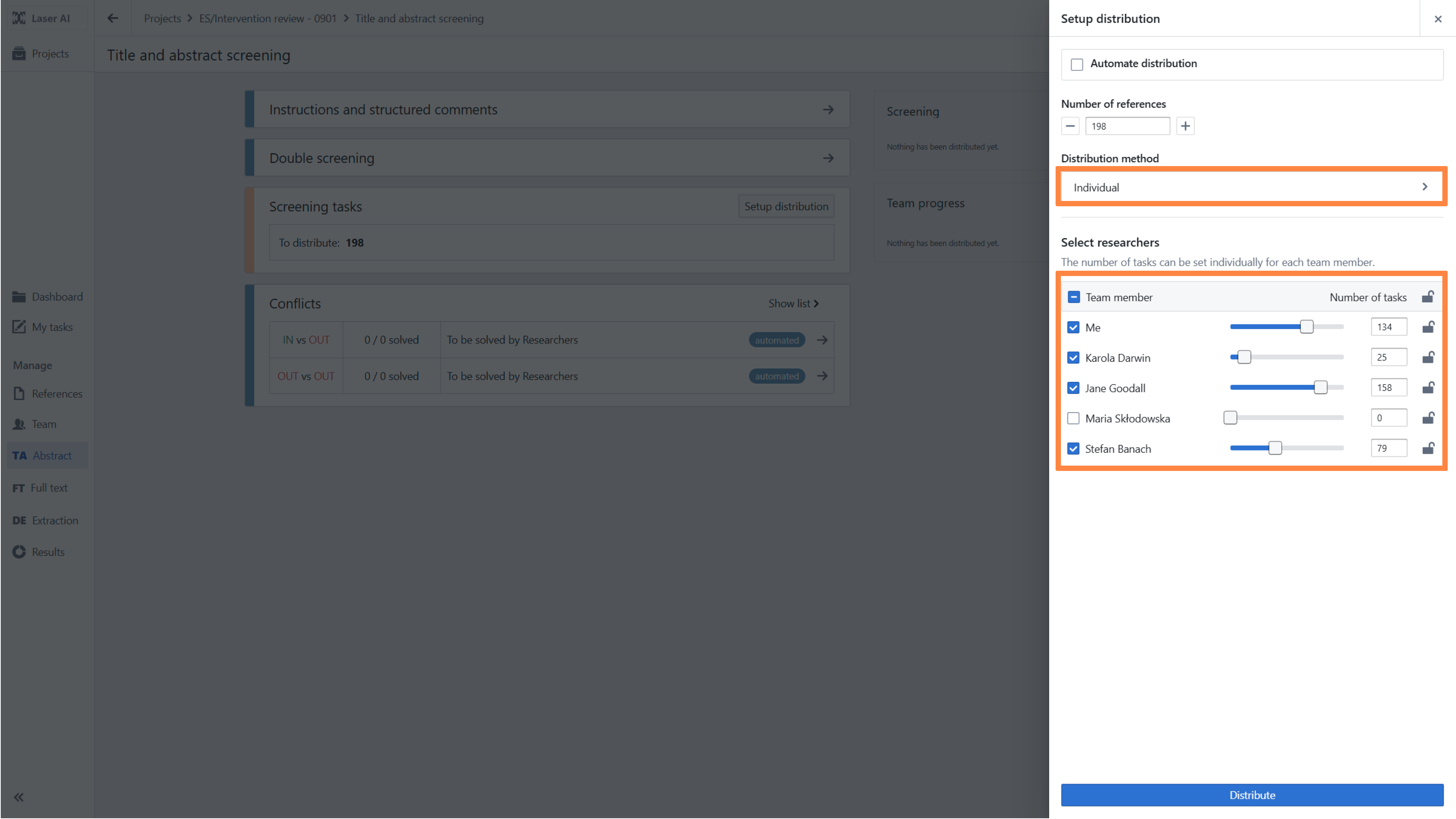
- Individual assignment - the selected number of references can be set individually for each team member. First, you have to click on the Padlock icon to unlock the option to assign references to the particular researchers. Next, move the slider for each person individually to set the number of screening tasks according to their availability or experience. After finishing, click Setup.
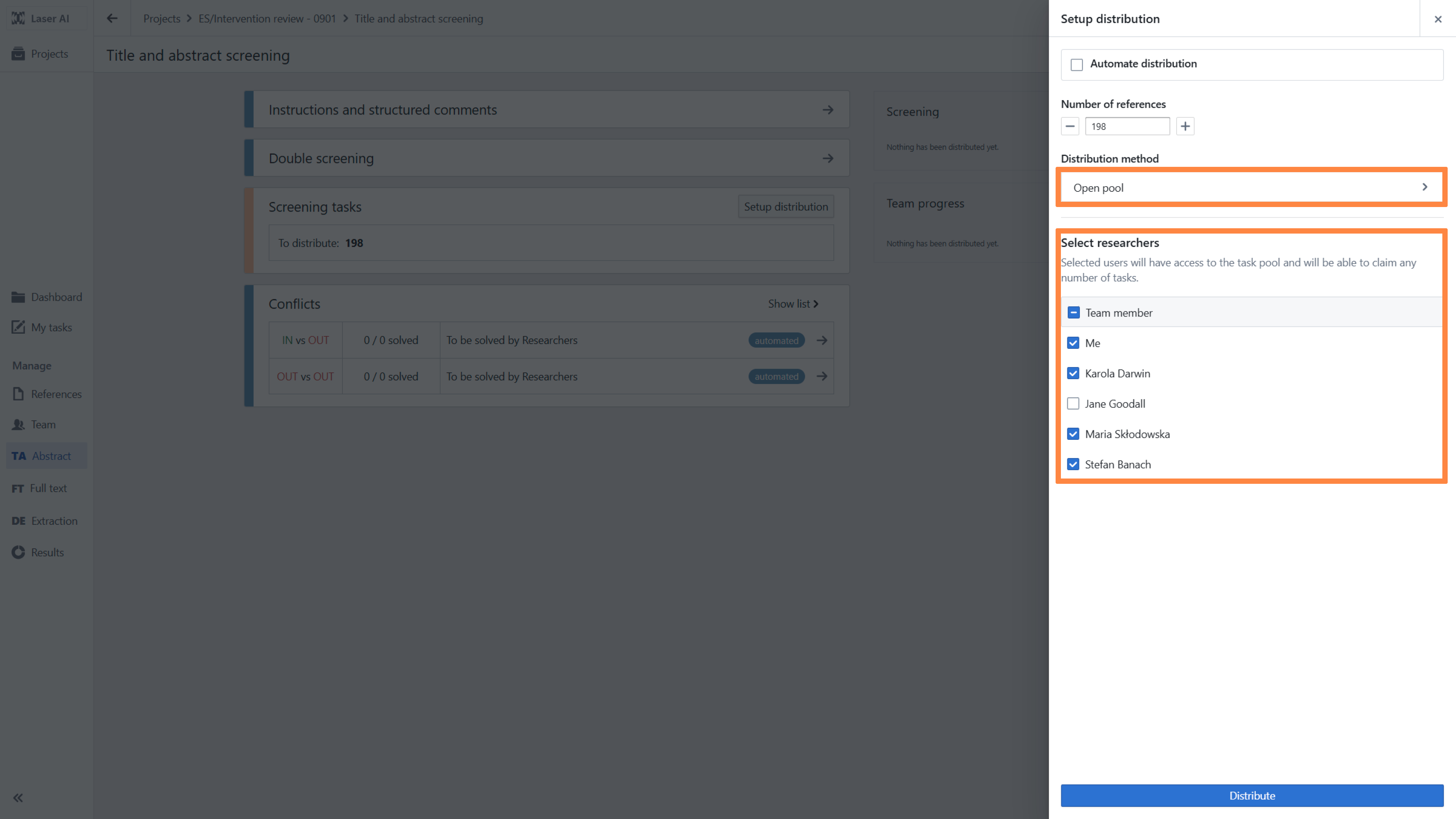
- Open pool of tasks - in this method, selected users will have access to the task pool and will be able to claim any number of tasks among this pool
RELATED ARTICLES
Changing distribution method during Title and abstract screening
Redistribution of tasks during the Title and abstract screening
Assigning references after removing users in Title and abstract screening stage
Was this article helpful?
That’s Great!
Thank you for your feedback
Sorry! We couldn't be helpful
Thank you for your feedback
Feedback sent
We appreciate your effort and will try to fix the article