The Data Extraction dashboard displays the AI suggestion acceptance rate, which shows the percentage of AI-generated extraction suggestions accepted by reviewers.
The value displayed on the dashboard is the overall acceptance rate for the entire Data Extraction stage.
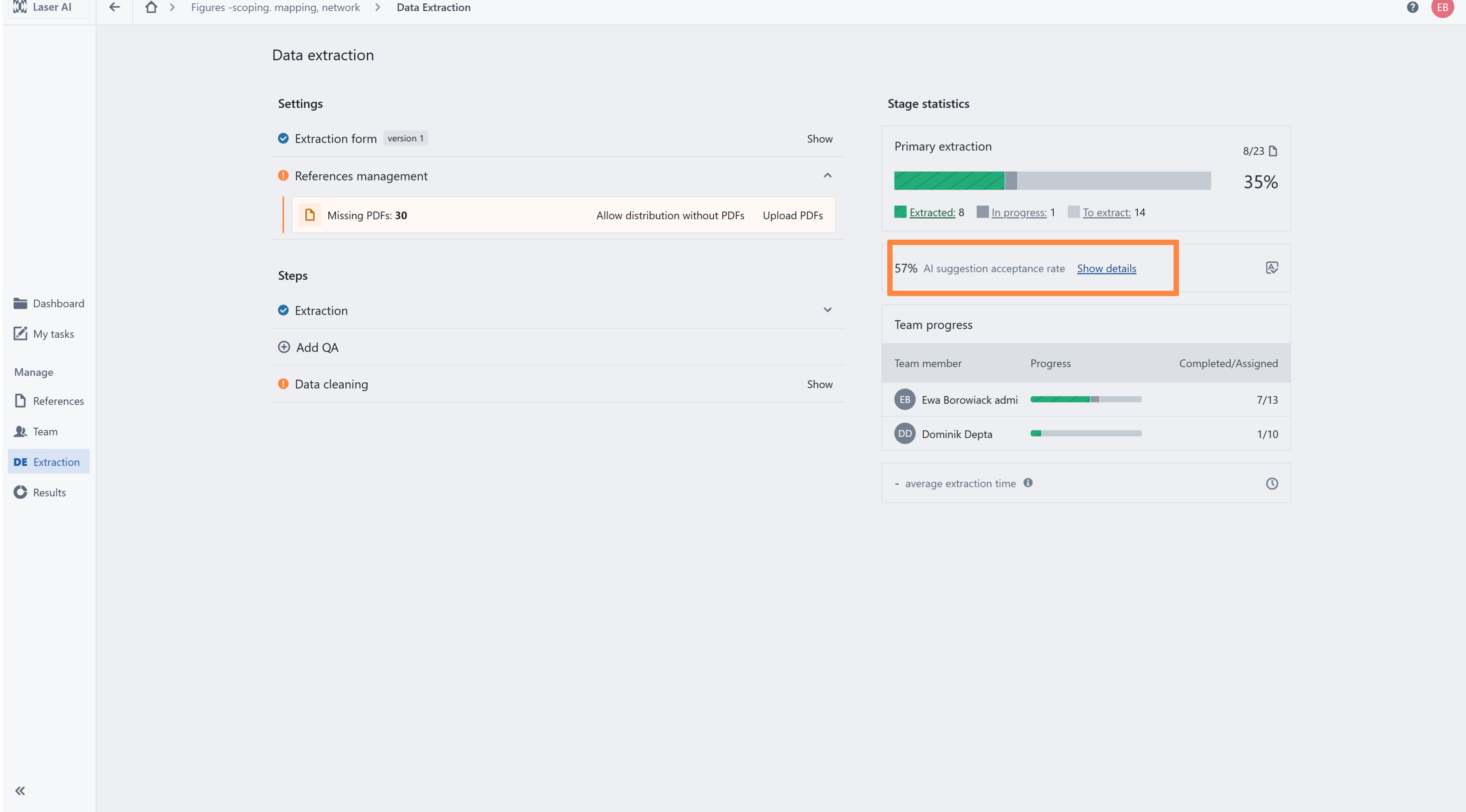
Select Show details to view:
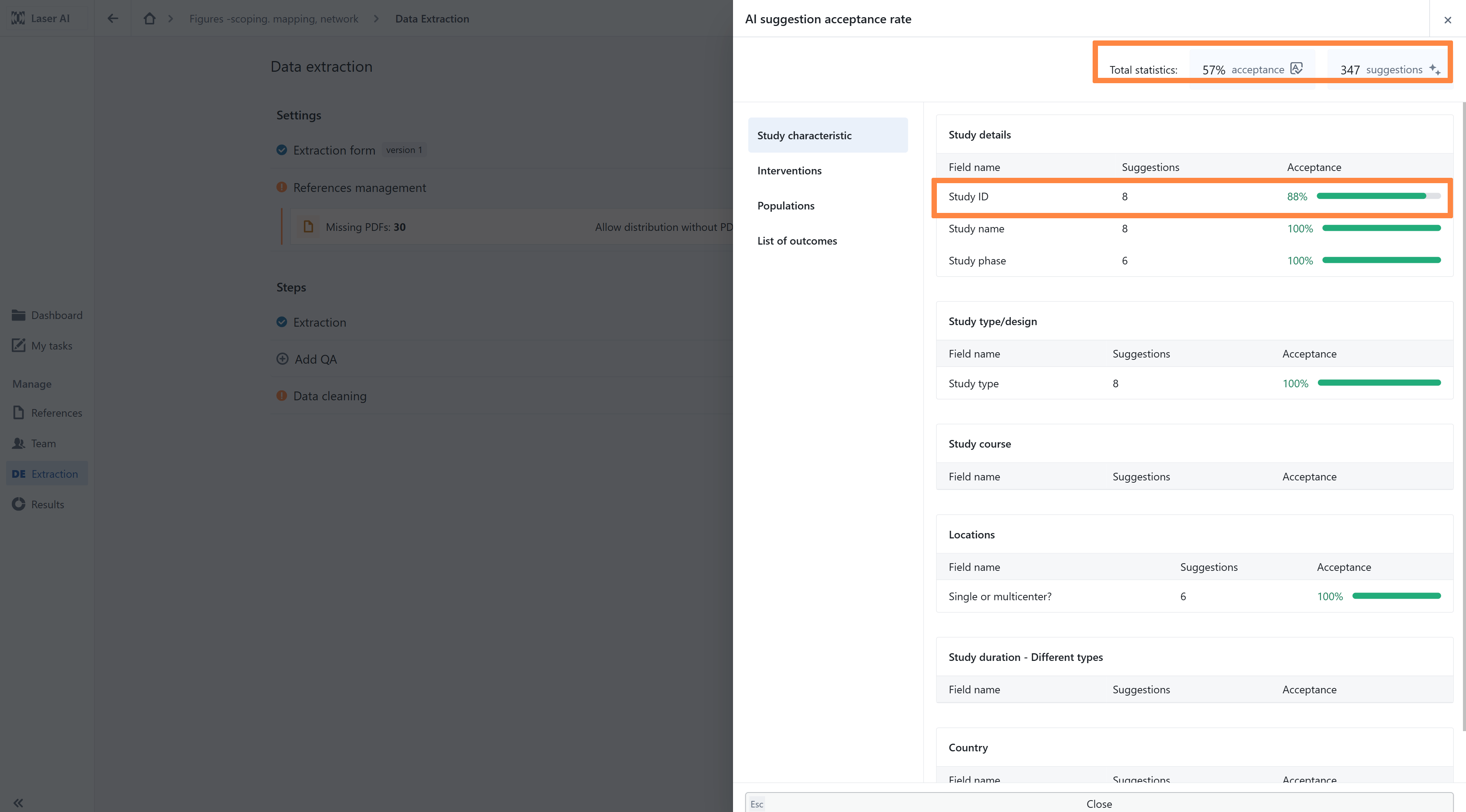
the overall acceptance rate;
the total number of AI-generated suggestions;
acceptance statistics for individual extraction fields.
In the detailed view, fields are organized according to the sections of the extraction form and presented in separate tabs, such as Study characteristics, Interventions, Populations, and List of outcomes. Within each tab, fields are further grouped into the relevant sections.
For each field, the dashboard shows:
the field name;
the number of AI-generated suggestions;
the percentage of suggestions accepted by reviewers.
Field-level acceptance rates can support a calibration exercise before the main extraction begins. After extracting a pilot sample, the project team can identify fields with lower acceptance rates and determine whether their configuration needs improvement. For example, the team may refine the field definition, add project-specific guidance or examples, adjust the controlled vocabulary, or introduce additional field customization. The revised configuration can then be tested on another sample before it is applied to the remaining records.
Was this article helpful?
That’s Great!
Thank you for your feedback
Sorry! We couldn't be helpful
Thank you for your feedback
Feedback sent
We appreciate your effort and will try to fix the article