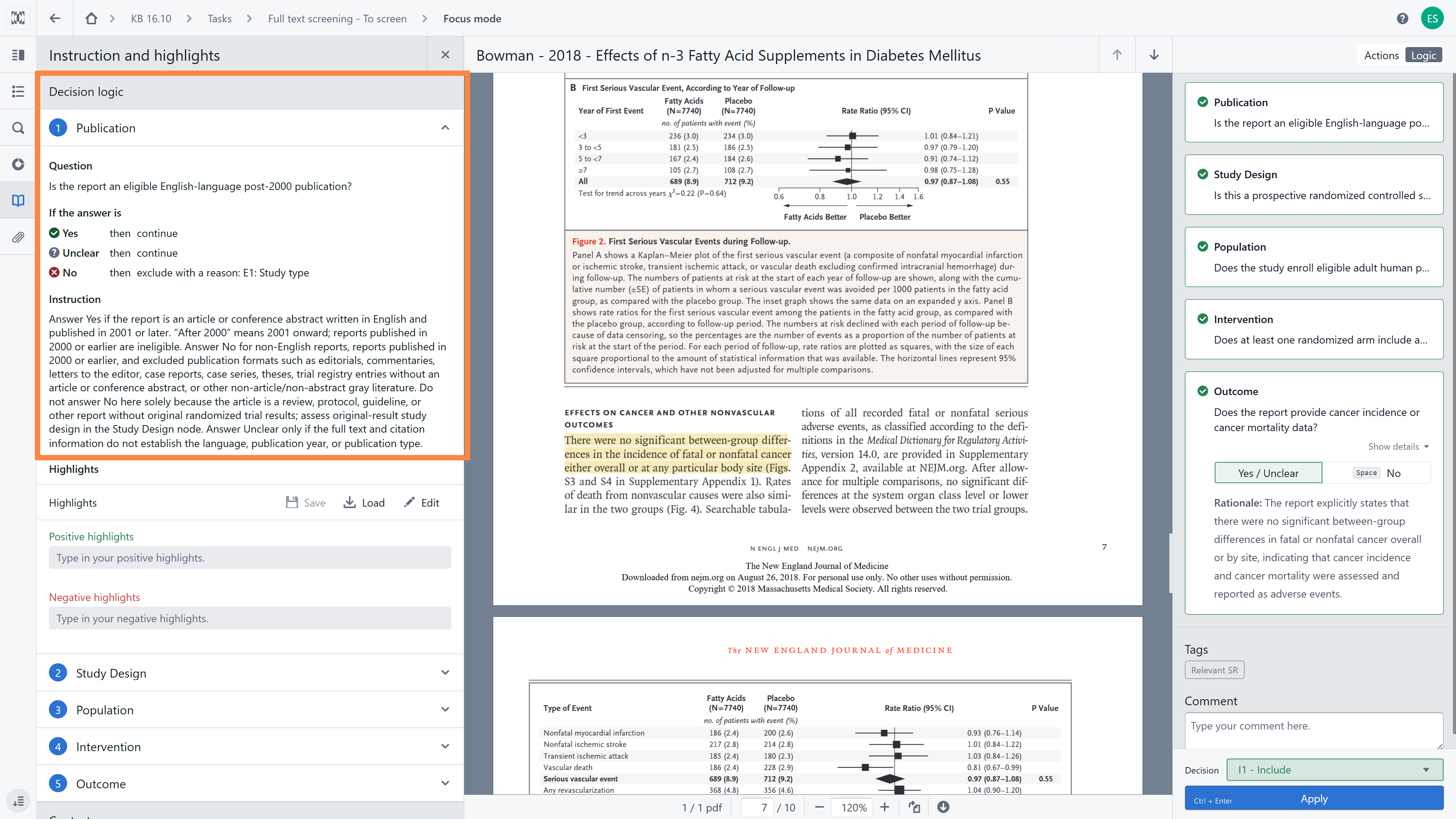
To open the screening instruction, click on the 'Instruction and highlights' icon in the left sidebar. Your Full text screening instructions will include:
- Decision logic - structures how reviewers evaluate citations through customized screening questions, step-by-step instructions, and answer mapping that translate individual responses into final screening decisions. It also incorporates keyword highlights, which display positive and negative terms directly within the citation text for rapid visual scanning and serve as interactive filters across the reference list. While established during initial setup, only project managers can modify these logic parameters later by navigating to the Stage Dashboard and selecting the Instructions and structured comments tab.
- Context - include description of eligibility criteria and additional context (used by the model to make screening suggestions).
Remember that you have access to the screening instructions at all times during the screening process. If you have any doubts, you can always refer back to them or discuss them with your manager to modify them.
RELATED ARTICLES
Was this article helpful?
That’s Great!
Thank you for your feedback
Sorry! We couldn't be helpful
Thank you for your feedback
Feedback sent
We appreciate your effort and will try to fix the article