During the ongoing Title and abstract screening process, you can modify screening instructions or create a new version.
Modifying existing form includes:
- Renaming IN/OUT reasons
- Editing screening instructions (but only for human use, not as decision logic)
- Adding or modifying tags
Warning: Please be aware that modifying IN/OUT reason buttons or tag names during an ongoing screening process can potentially lead to inaccurate results. Specifically, if you rename a button while the screening is in progress, any records previously excluded/included using the old button name will automatically update to reflect the new button name. Any modifications to button or tag names should be carefully considered.
While modifying existing instruction, it's not possible to:
- Remove existing tag
- Remove existing inclusion/exclusion button
Creating new version of existing instruction is used mostly for major changes, for:
- creating new version of decision logic
- adding or removing IN/OUT reasons and changing its structure
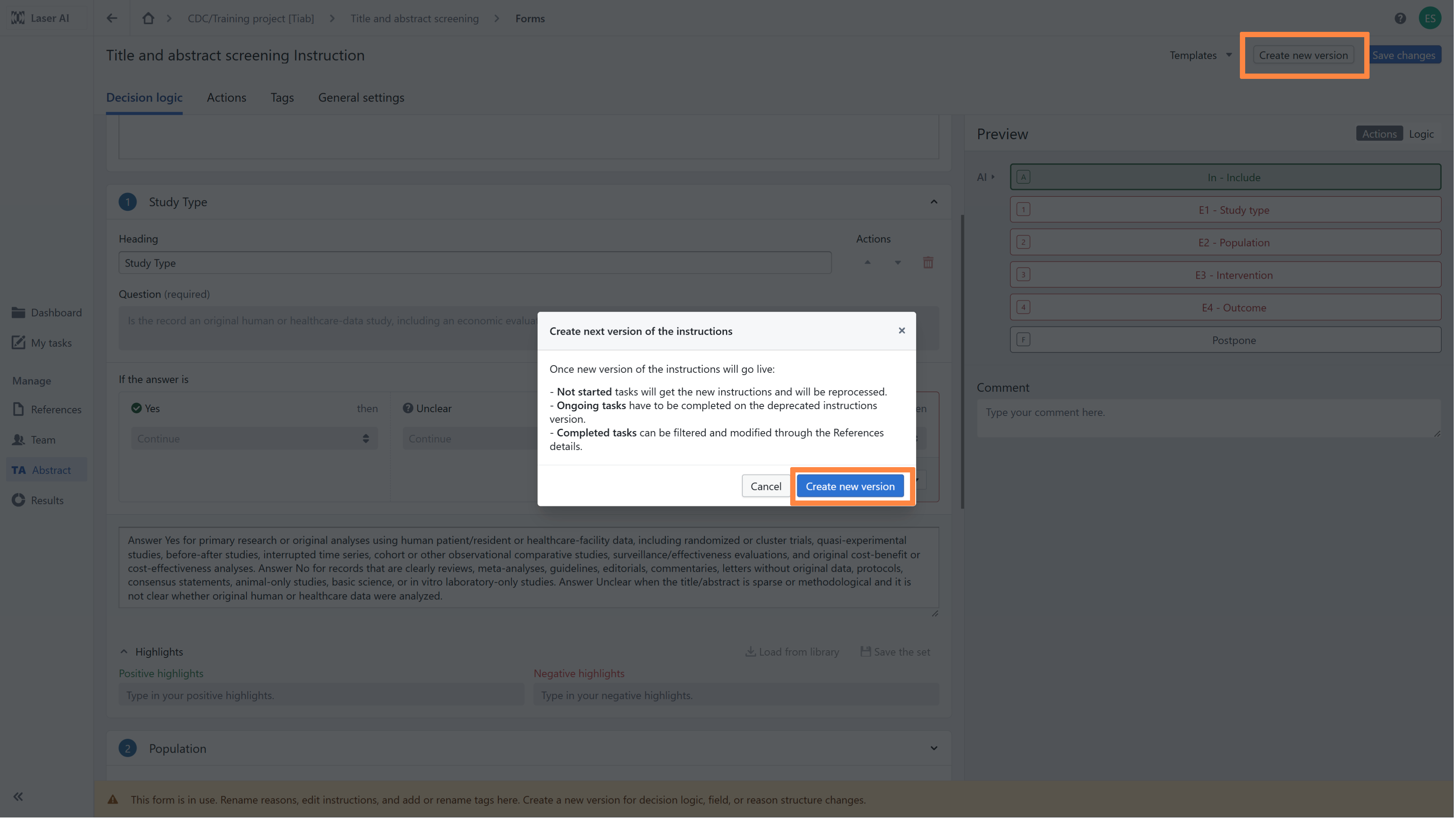
Important: Once new version of the instructions will go live:
• Not started tasks will get the new instructions and will be reprocessed.
• Ongoing tasks have to be completed on the deprecated instructions version.
• Completed tasks can be filtered and modified through the References details.
RELATED ARTICLES
Was this article helpful?
That’s Great!
Thank you for your feedback
Sorry! We couldn't be helpful
Thank you for your feedback
Feedback sent
We appreciate your effort and will try to fix the article