If you need assistance, want to report a problem, or have an idea for improvement, click the question icon located at the top of the screen.

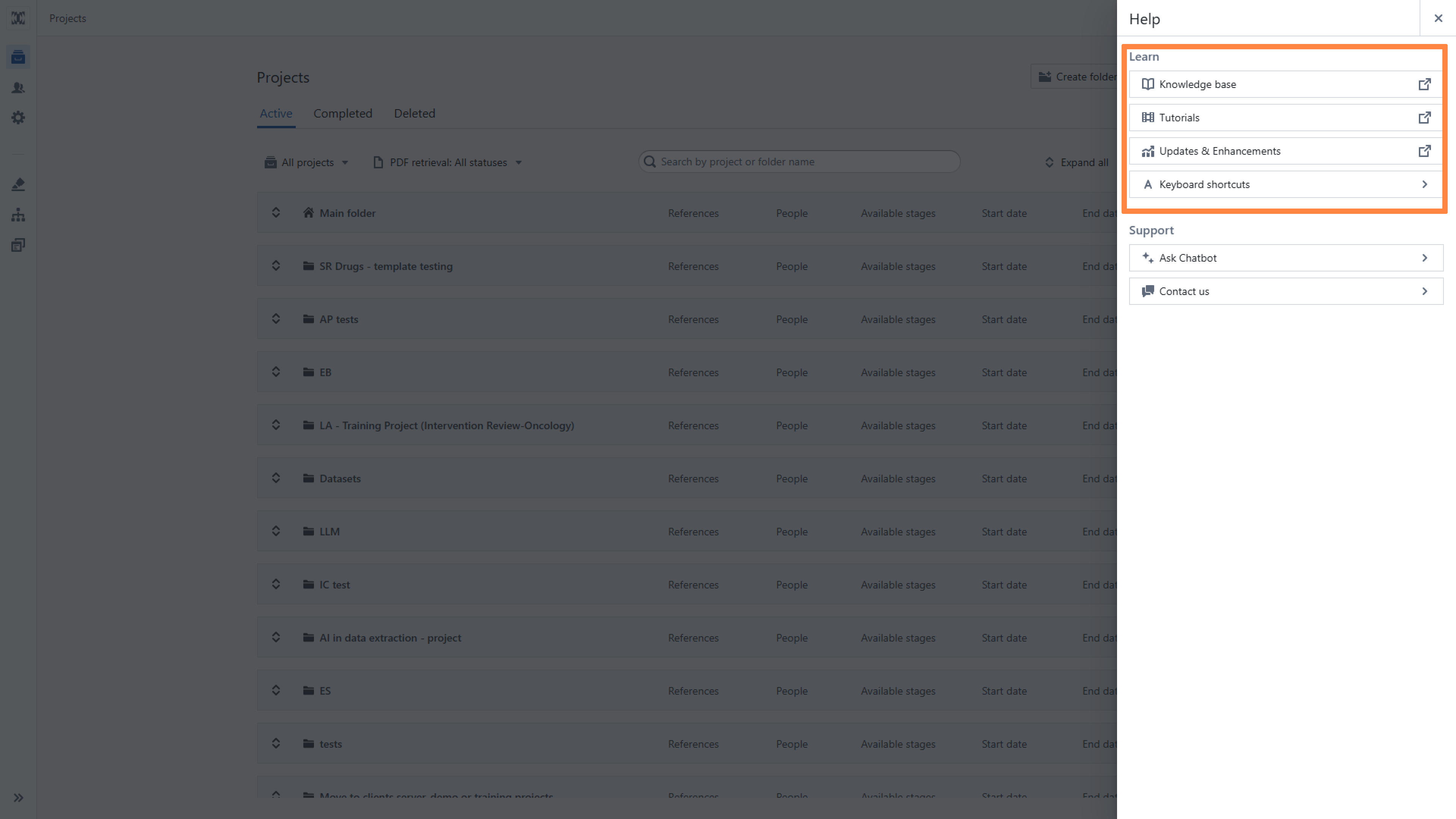
In the 'Help' panel, you have three main support options:
1. Knowledge Base
Click the Knowledge Base button to browse support articles. If you don’t find a solution, you’ll have the option to submit a ticket directly from there.

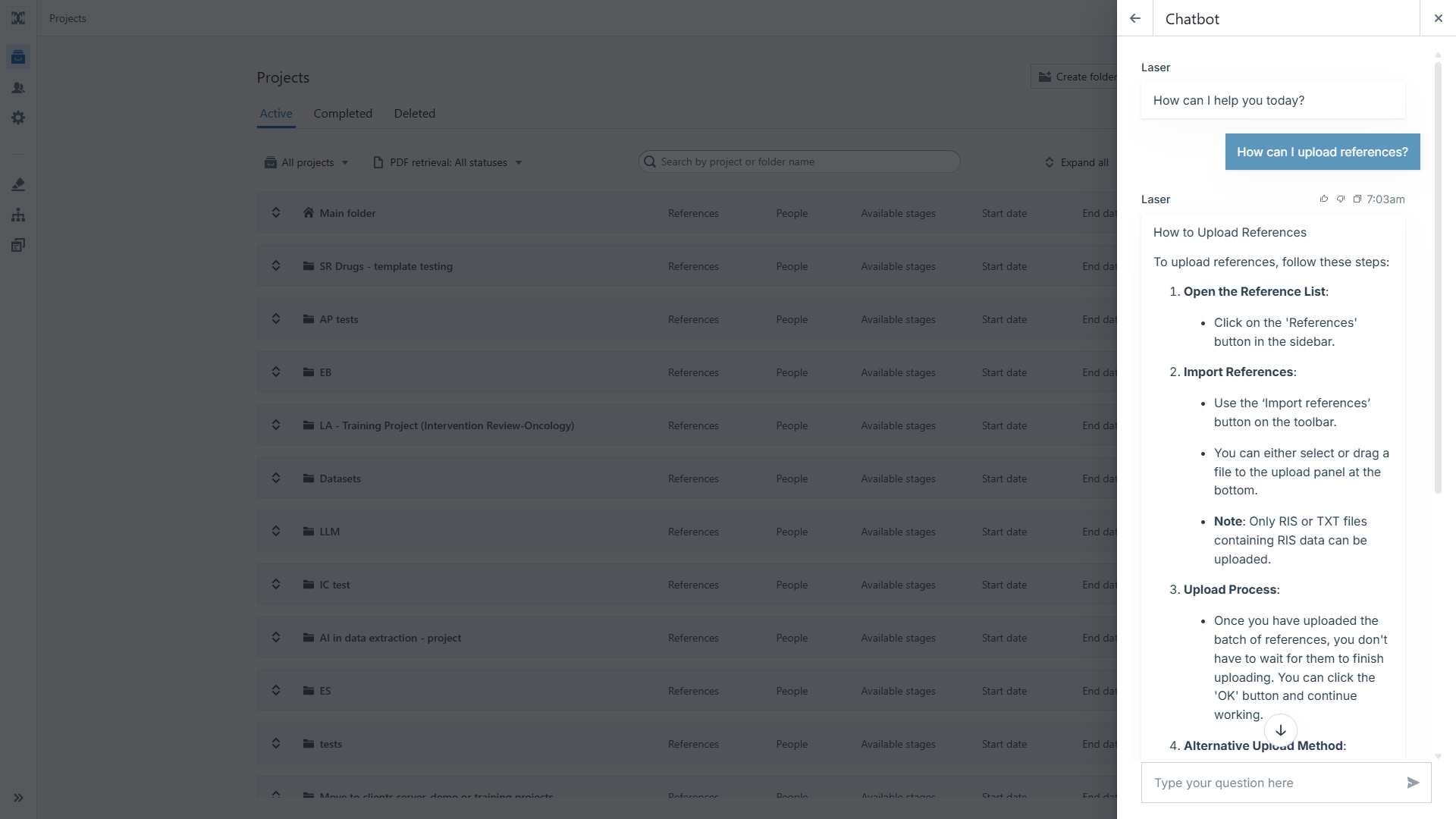
2. Chatbot
After clicking on the ‘Ask chatbot’ icon, you will be taken to a tab where you can ask questions to a dedicated chatbot.
3. Contact Us
Click Contact Us to reach our support team. Choose the type of report: Question, Problem, or Improvement Idea. You can upload a screenshot of the current screen (this option is selected by default). Please include a brief description to help usaddress your issue efficiently.
4. You can also contact us at support@laser.ai

Tips: In this module, you will also find: Links to our YouTube tutorials, Information about new releases, a list of available keyboard shortcuts.
Was this article helpful?
That’s Great!
Thank you for your feedback
Sorry! We couldn't be helpful
Thank you for your feedback
Feedback sent
We appreciate your effort and will try to fix the article