Templates, including screening instructions, data extraction forms, keywords for inclusion/exclusion, documents and controlled vocabularies, are essential tools in systematic research.
Screening instructions, crafted based on specific inclusion and exclusion criteria, guide researchers in consistently identifying relevant studies.
Data extraction forms ensure uniformity in capturing critical information from each study.
Keywords help quickly flag records for inclusion or exclusion, streamlining the review process.
Controlled vocabularies standardize terms used in data extraction, maintaining consistency and accuracy. These templates are crucial because they enhance efficiency, reduce errors, and ensure reproducibility in research.
Documents provide structured templates for generating reports with review results
In Laser AI all these tools could be saved as organizational assets in Libraries and can be modified and reused across different projects, saving time and maintaining methodological consistency across various studies.
Templates (screening instructions, and data extraction forms), documents and highlights sets can be create:
On organization level (only Data managers, Owners, Admins have permission to create templates: screening instructions, data extraction forms and highlights sets on organization level)
Directly in the project
Controlled vocabularies are created only on organization level.
In the Project list on the left-side navigation panel, you will find three types of libraries:
Highlights Library
Vocabularies
Documents
Templates - this tab includes both In/Out screening criteria and Extraction forms
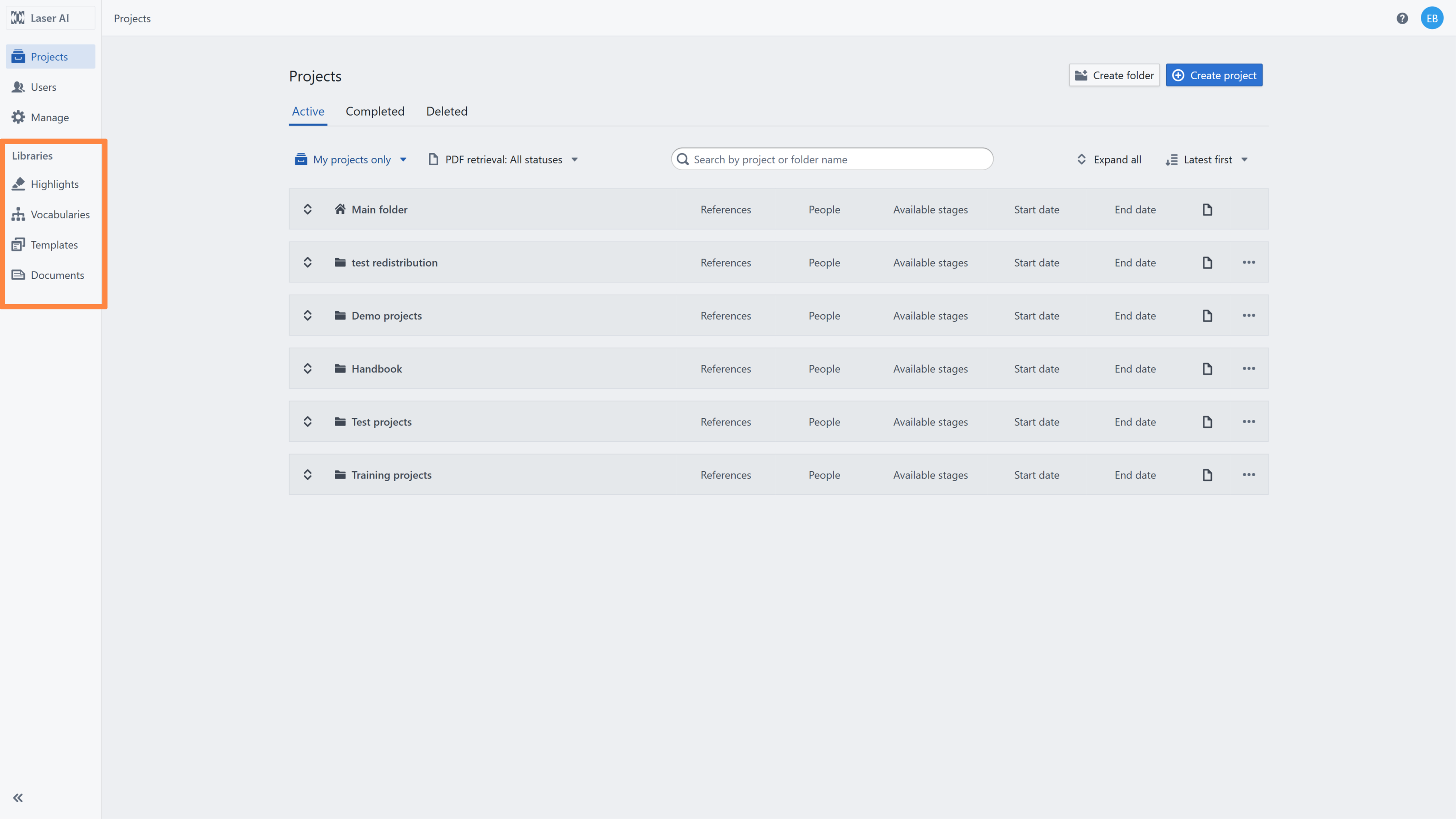
This panel is available only to users with the Admin, Owner, or Data Manager roles. Only these roles have permission to create new templates or modify existing ones.


Project Managers can access these templates within projects where they have permission to upload and modify them according to the project’s scope. They can also save newly created templates as organizational assets.


Templates saved by Project Managers must be reviewed at the organizational level. Admins, Owners, or Data Managers can accept or reject these templates.
RELATED ARTICLES
Was this article helpful?
That’s Great!
Thank you for your feedback
Sorry! We couldn't be helpful
Thank you for your feedback
Feedback sent
We appreciate your effort and will try to fix the article