To create a document template, follow these steps:
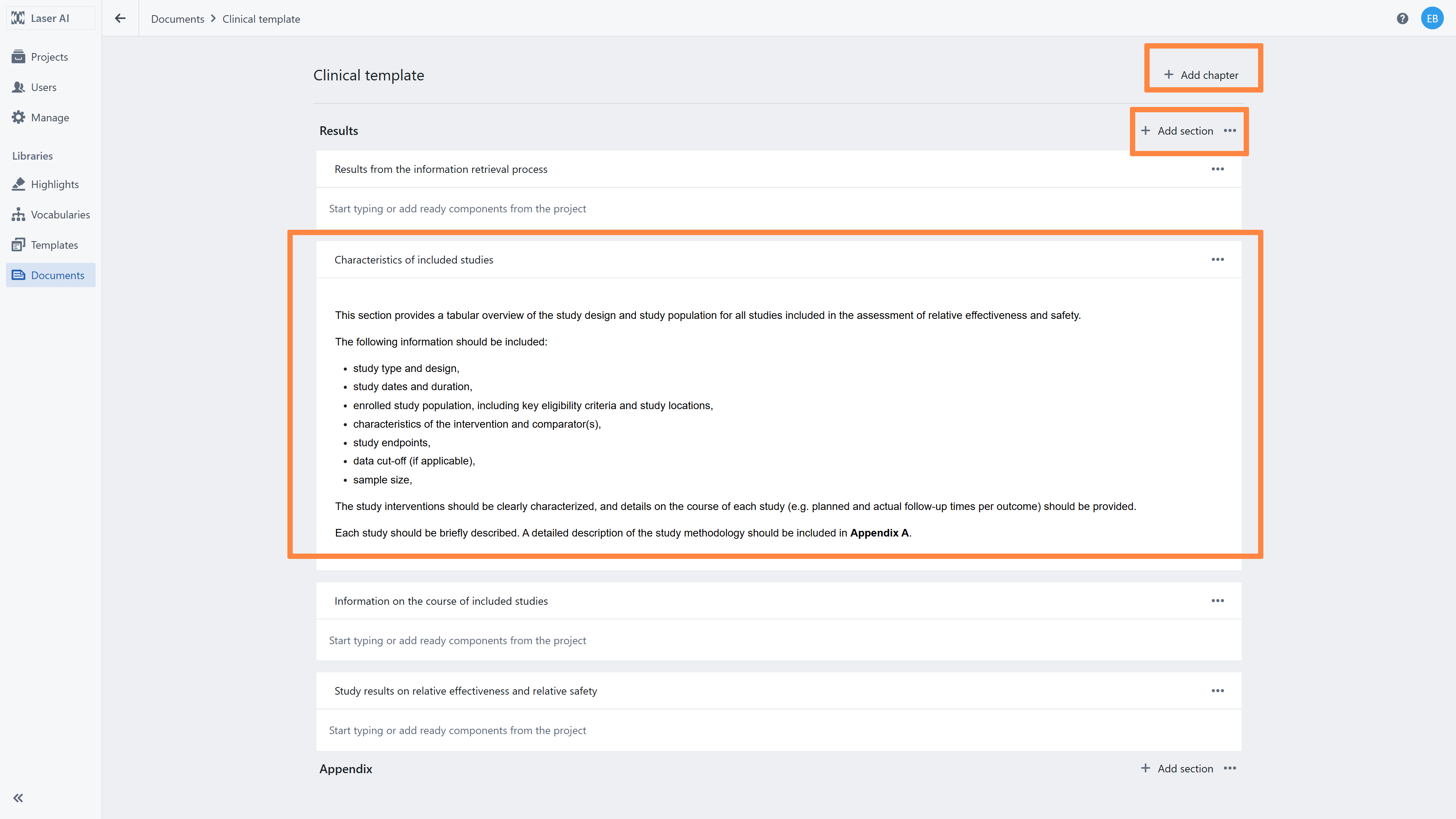
Define the document structure
Create chapters that will represent the main sections of your report (e.g. Introduction, Methods, Results, Discussion).Add sections within chapters
Within each chapter, add sections to further organize the content (e.g. under Methods: Study Design, Eligibility Criteria, Data Sources).Prepare content for each section
Add example content, guidance, or instructions that will help users complete the report.
For example:include a short description of what should be written in a given section,
provide standardized text for commonly used parts (e.g. methods description for a clinical intervention review),
add instructions or placeholders to guide users when filling in the document.
Well designed templates should reflect the typical structure and workflow of a given review type,
ensuring consistency across projects and making report creation faster and more reliable.
Using the Text Editor Toolbox
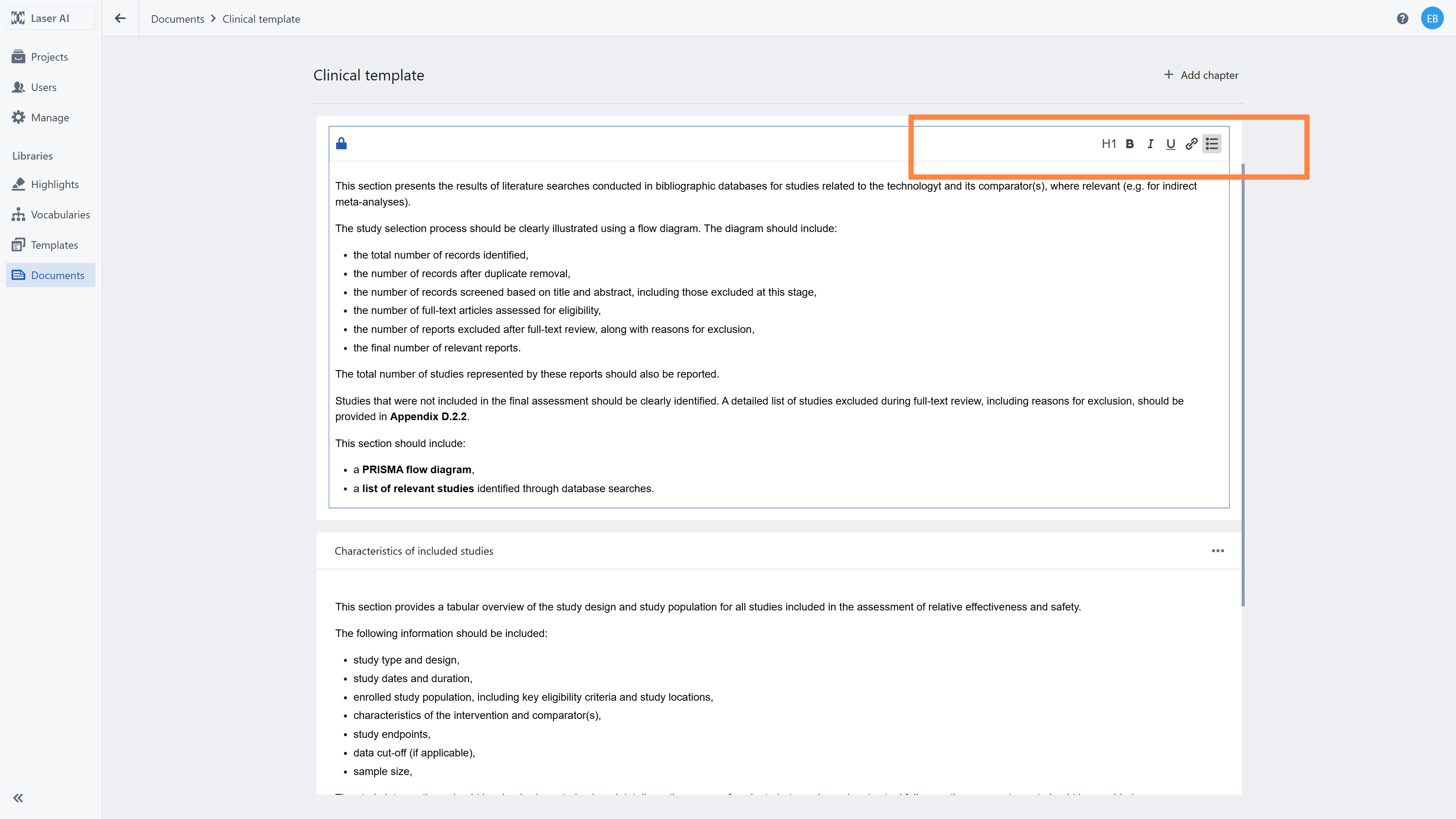
To modify and format text, use the toolbox located in the right corner of the text editor section.
The toolbox provides a range of options that allow you to:
format text (e.g. headings, bold, lists),
structure content within sections,
insert and organize elements to improve document readability.
Using the toolbox helps ensure that your document templates are clear, consistent, and properly structured.
Related articles
1. Creating Reports and Exporting
2. Introduction to documents library
Was this article helpful?
That’s Great!
Thank you for your feedback
Sorry! We couldn't be helpful
Thank you for your feedback
Feedback sent
We appreciate your effort and will try to fix the article